
WhatsApp, Message Templates & Contact Attributes
Ziett is now a truly omnichannel platform. With this release, WhatsApp joins SMS as a first-class channel, powered by a direct integration with the Meta Cloud API. Alongside it come reusable message templates, custom contact attributes, a smarter contact import and automatic variable substitution across the API and the portal.
This release ships as API v1.8.0 and Portal v1.6.0.
Highlights
- WhatsApp channel: transactional messages and campaigns, sent through the Meta Cloud API.
- Multiple WhatsApp Business accounts and templates per organization, managed together with your team.
- Message templates for SMS and WhatsApp, with variables, available in the API and the portal.
- Contact attributes: up to 30 custom fields per organization.
- Contact import with column mapping: bring your own CSV, no strict template required.
- Automatic variable substitution when sending, with or without a template.
WhatsApp, now on Ziett
You can now reach your customers on the channel they use every day, from the same API and portal you already use for SMS.
Ziett connects directly to the Meta Cloud API, so there is no intermediary between your messages and WhatsApp. Delivery updates are received through WhatsApp webhooks, keeping your message statuses up to date.
Multiple accounts, one organization
A single organization can manage multiple WhatsApp Business accounts and multiple templates associated with them. Everything is collaborative, so your whole team works from the same place.
- Link WhatsApp Business accounts to your organization.
- List, view and sync the phone numbers of each account, including registration with the Cloud API.
- Filter templates and phone numbers by WhatsApp Business account when composing a message, so you never pick the wrong sender.
Transactional messages and campaigns
Send WhatsApp messages in the way that fits your use case:
- Transactional messages using an approved template, triggered from your application.
- Campaigns using a template, sent to an audience.
- Batch API: up to 1,000 contacts per request.
- High-volume audiences through the Portal, when you need to go beyond a single batch.
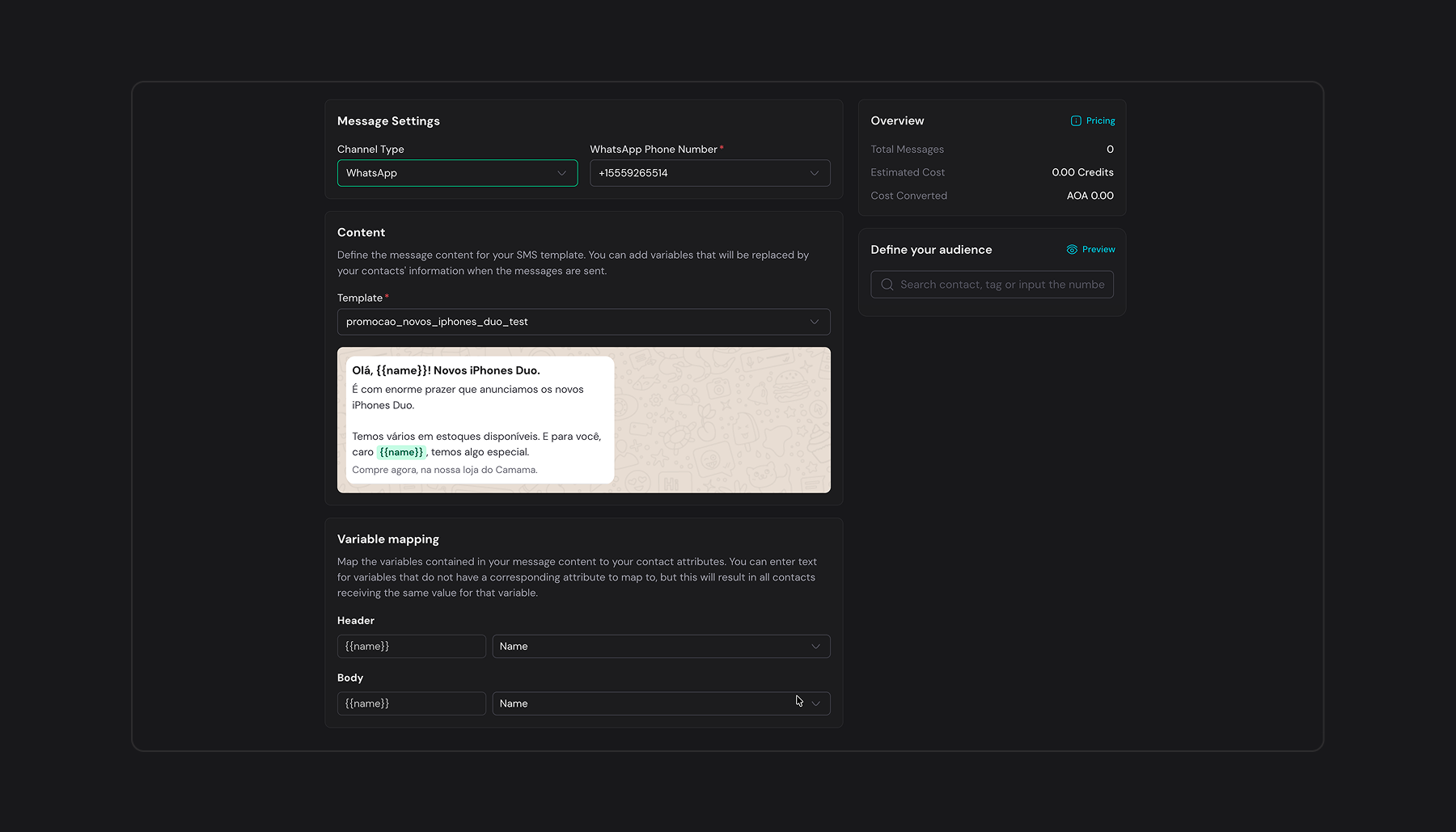
Templates with buttons are supported when sending, and the portal shows the template details right next to your message while you compose it.
Message Templates for SMS and WhatsApp
Stop rewriting the same message. You can now create reusable message templates for both SMS and WhatsApp, and use them through the API or the portal.
Variables that work your way
Templates support variables. They are fully integrated with Ziett's contact attributes, but they do not depend on them: you can define variables that do not exist as contact attributes in your organization and provide their values when you send.
In other words, use Ziett as your contact database, or bring your own data. Both work.
WhatsApp templates, built for Meta's rules
WhatsApp templates are created in Ziett or synced from Meta, whichever fits your workflow:
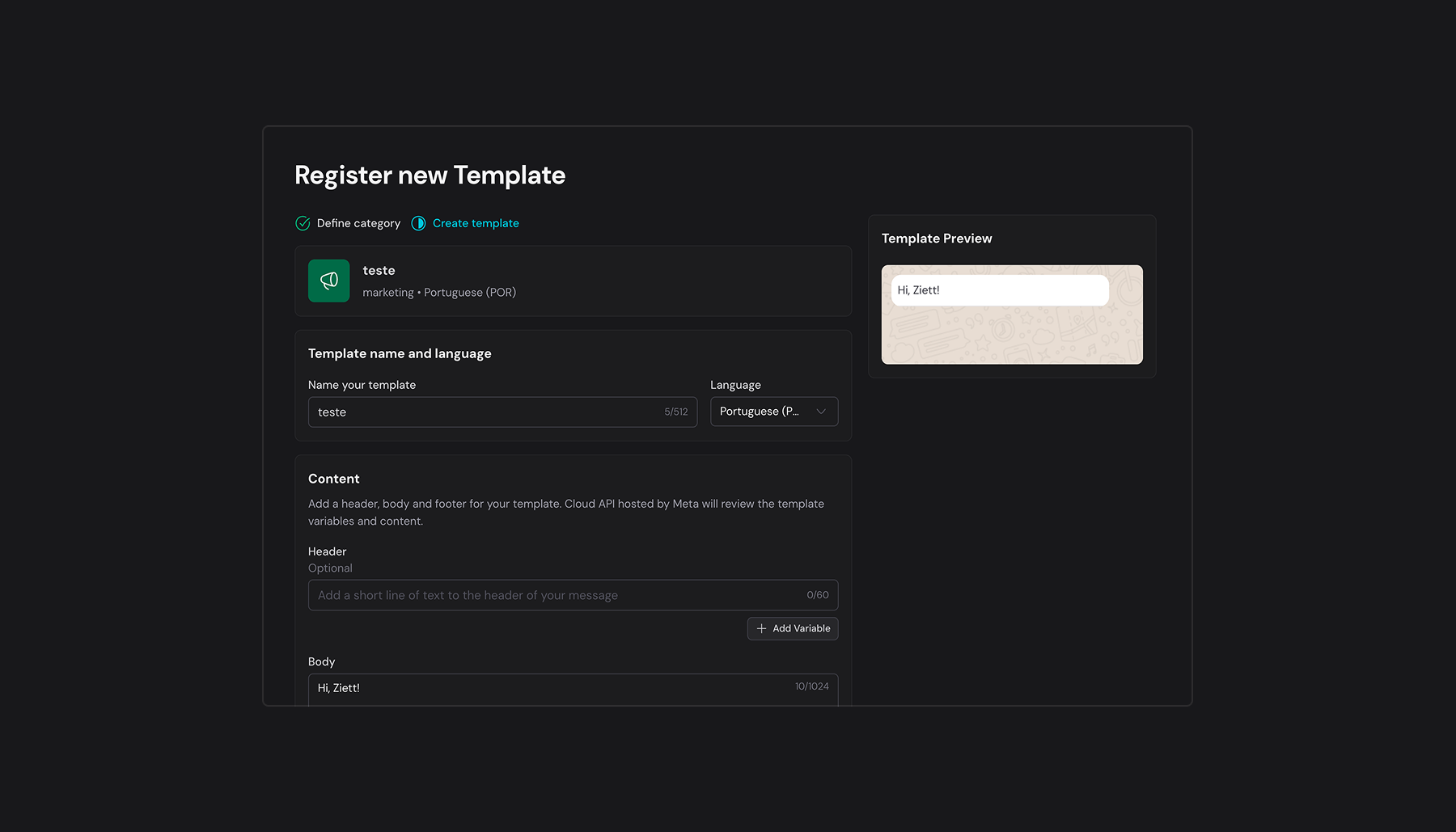
- Create templates in the portal with a rich text editor and a live preview.
- Add variables and buttons.
- Support for the Authentication template category.
- Sync templates from the Cloud API, all templates of an account at once, or a single one by name or ID.
- Delete templates you no longer need.
SMS templates
Create, view, update and list your SMS templates in the same place as your WhatsApp ones. Same concepts, same workflow, one library of messages.
Contact Attributes
Your contact list can now hold much more than a name and a phone number.
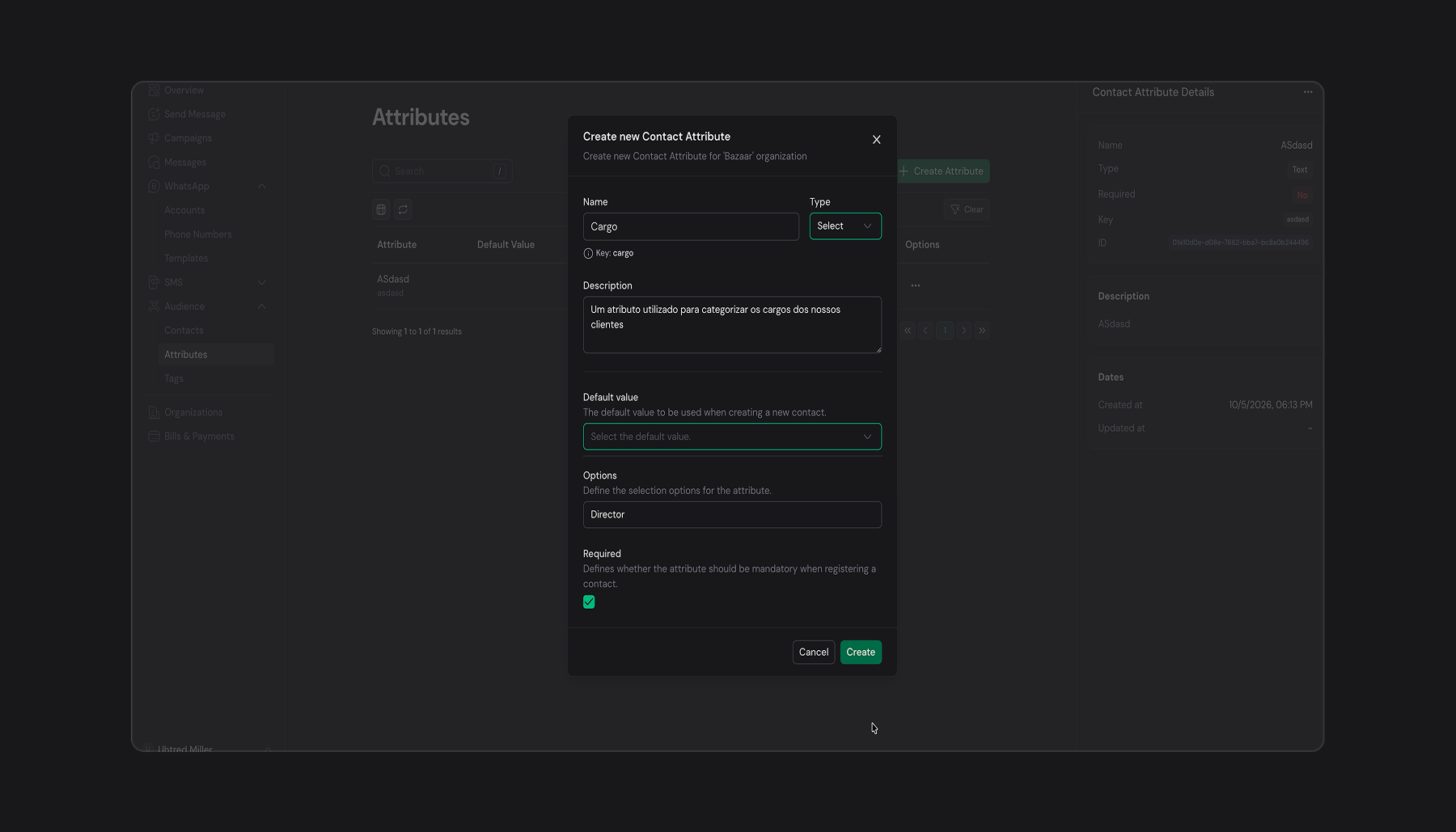
Organizations can create custom contact attributes to enrich their contact base with the information that matters to their business. Four attribute types are available:
| Type | Use it for |
|---|---|
| Text | Free-form values such as company, city or plan name |
| Boolean | Yes/no flags such as vip or accepts_marketing |
| Options | A fixed set of choices such as bronze, silver, gold |
| Date | Birthdays, renewal dates, last purchase |
Each organization can define up to 30 attributes.
Attributes are available everywhere you work with contacts: create and edit contacts with custom attributes, see them in the contact list and in the contact details panel, and use them as variables in your messages.
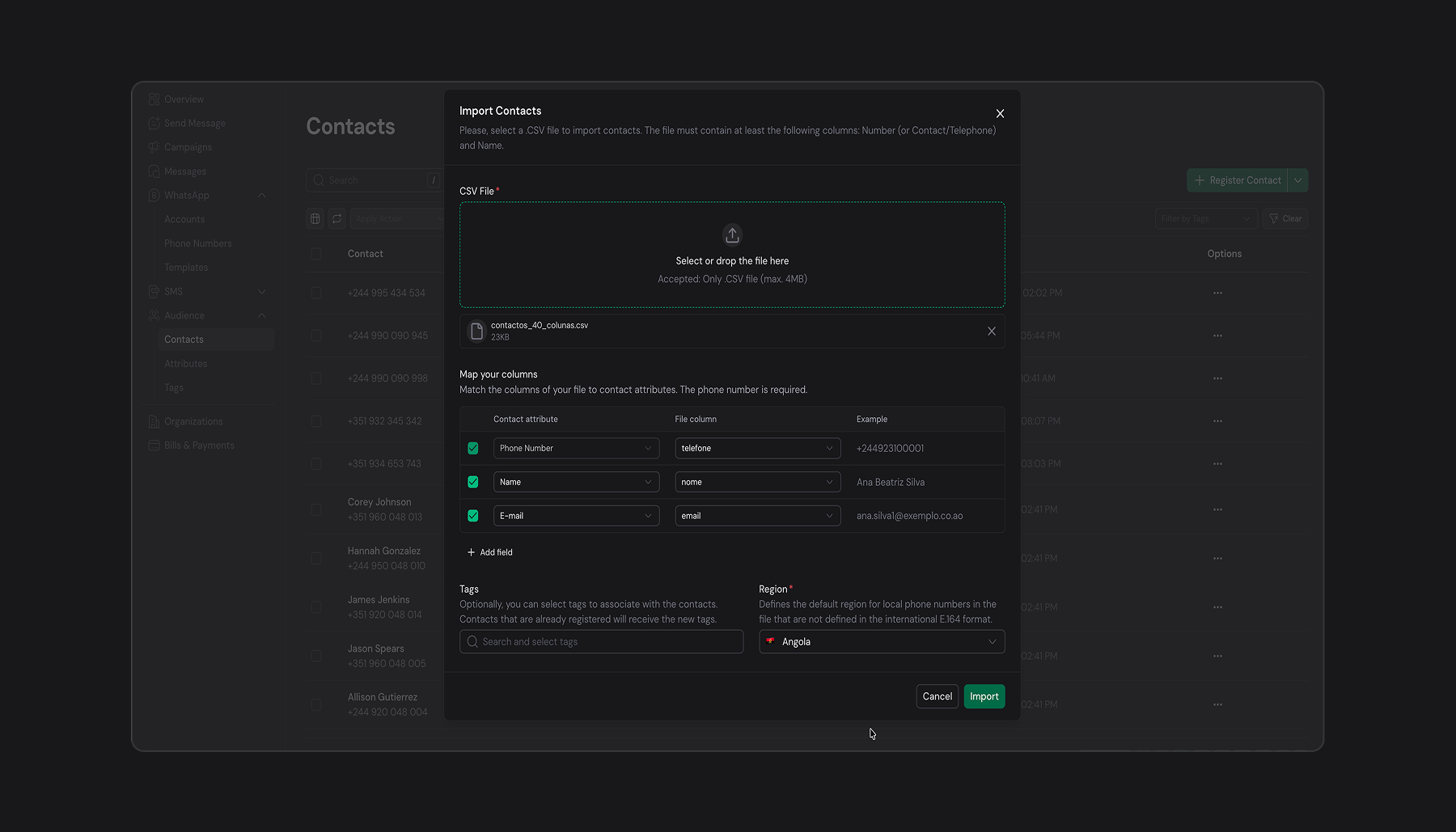
A New Contact Import
The previous import required your file to follow our template strictly, with name and phone written exactly the way the system expected.
That is over. The new import supports column mapping: upload your CSV as it is and map each column to a Ziett attribute.
- Not limited to name, email and phone: map any custom attribute created in your organization.
- No need to rearrange or rename columns before uploading.
- Works with files exported straight from your CRM, spreadsheet or ERP.
Smarter Message Sending
The message sending endpoint, and the portal, now understand variables.
If your text contains variables, Ziett fills them in automatically, even without a template. Values are resolved from:
- The contact's data, found in your organization's audience by phone number.
- The variable mapping provided in the request payload.
This means personalized SMS can be sent with a single, simple request, and the exact same behavior applies to messages sent from the portal.
We also added a contact preview count, so you can see how many contacts a send will reach before you commit to it.
Reliability and Under the Hood
- Monitoring with Sentry and Logfire, plus improved tracing, so we detect and fix issues faster.
- Better campaign and message metrics.
- Unitel adapter with support for a fallback request address.
- Many fixes and refinements to template schemas, SMS content rendering and contact attribute validation.
Get Started
WhatsApp, templates and contact attributes are available now in your Ziett portal and API.
- Read the WhatsApp guide in the documentation
- Open the Ziett portal and connect your first WhatsApp Business account
Questions or feedback? Reach us at support@ziett.co. We would love to hear what you build.